Start with where you will watch
Before comparing projector headlines, choose the room, surface and source device. Measure the available space between the proposed projector position and the wall or screen. Think about normal room lighting, where viewers sit and where the power lead can run.
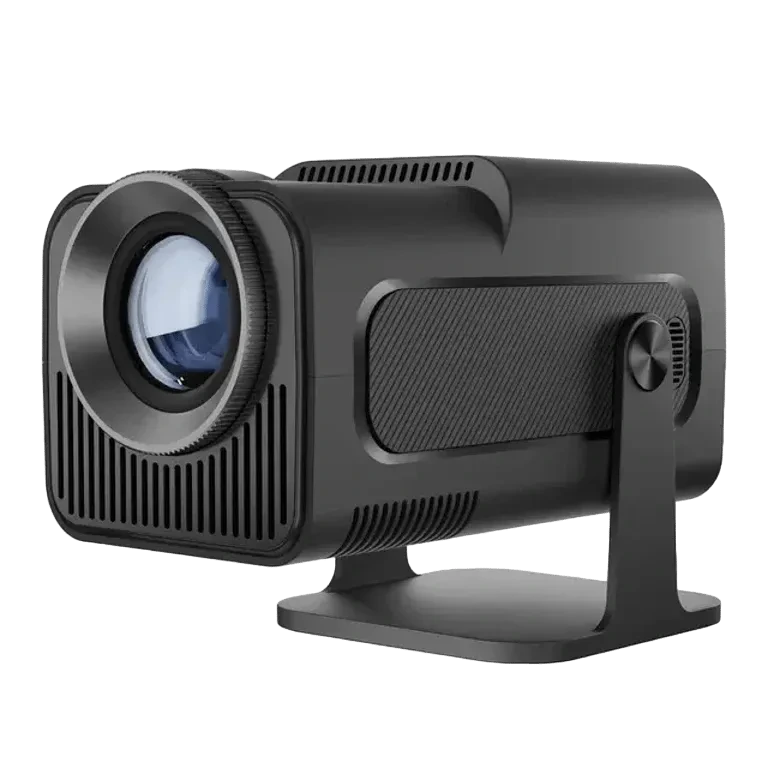
The portable Android 11 projector in this collection lists a pivoting stand, manual focus and automatic vertical keystone correction. These can help with positioning, but they do not remove the need for a suitable surface and a clear projection path. Ask for the supported image sizes and throw-distance guidance for the exact model.
Separate input support from native resolution
The source says the projector can play compatible 4K content. It also makes clear that content support does not establish the projector’s native display resolution. One describes the incoming video the device can handle; the other describes the image it physically displays.
Ask the seller for the native resolution and a comparable brightness specification. Our source does not establish a verified ANSI brightness figure, so we do not use one to rank this projector. A large number in a title is not a substitute for the specific display measurement you need.
Choose your source before choosing the interface
Android 11 is the listed onboard interface, with dual-band WiFi 6. That does not by itself confirm that every streaming service will work in the way you expect. Ask about the exact app, account and content-service requirements.
HDMI offers another route using a compatible external source, such as a laptop or a streaming device you already understand. Check the physical connections and the service’s requirements before planning an evening around a particular film or app. Bluetooth 5.0 is also listed, but confirm the supported accessory function rather than assuming it carries video.
Treat focus and image shape separately
Manual focus adjusts sharpness. Vertical keystone correction addresses image shape when the projector is tilted vertically. A straight-looking rectangle can still be out of focus, so perform both checks after moving the stand.
The stand’s listed 180° pivot allows the direction to change, including toward a suitable ceiling. Make sure that the position is stable and the ventilation guidance can be followed. Keep cables from pulling on the body as you adjust it.
Make a practical acceptance check
Test with your usual lighting instead of judging only in an unusually dark demonstration. If portability is the reason for buying, repeat the setup in the second room. A portable projector is most useful when moving and readjusting it is straightforward, not just when its body is small.
- The image fits the available surface from the intended position.
- Small text and normal video look usable after focus adjustment.
- The exact HDMI source or streaming service works as intended.
- Sound reaches the listening position through a confirmed audio route.
- Power, cable routing and ventilation suit the room.
Sources & editorial note
Product facts are based on the authorized MySmartLife catalog export dated 17 October 2026 and the corresponding public listings checked 22 October 2026. Practical buying advice is our editorial interpretation. Specifications and availability should be reconfirmed before ordering.
Corrections are welcome through our contact page.